Skip to the content
irgNET

irgNET

a virtual Knowledge Base

  • Blog
    • VMware
      • PowerCLI
        • PowerCLI Add-VMHost: Unable to verify the authenticity of the specified host
        • PowerCLI: Connect-VIServer The SSL connection could not be established
      • Cloud Foundation
        • Certificate for ‘Host.domain’ doesn’t match any of the subject alternative names
      • ESXi
        • How to back up ESXi host configuration
        • VMware ESXi 6.7 Upgrade to 7.0 (and 8.0) – Missing dependencies VIBs Error
        • How to export an ESXi 5.5 VM for Restore
        • VMware ESXi 7.0 – Remove Host Client session timeout
        • “LINT1 motherboard interrupt” error while installing VMware ESXi
        • VMware Baseline Updates & HCL Check – Missing…
        • Create/Show/Delete Snapshots with ESXi CLI
        • vmkX not found in the current netstack
      • vSphere
        • vSphere 8 Update fails: Error in method invocation Timout happens while sending message to microservice
        • Looking for a specific VMware Build ISOs @ Broadcom Support Portal?
        • Error 500 after upgrading VMware vCenter to 7.0.2.00200
        • VMware ALT+F1 no login prompt
        • How to Downgrade VMware Hardware Version
        • How to change E1000 into VMXNET3 vNIC on a Windows VM
        • Create VM Customization Specifications for Windows Server 2019
        • Power On virtual machine – Module CPUID power on failed
        • Unable to delete an “inaccessible” datastore (Zombie datastore)
        • How to fix “vSphere HA initiated a virtual machine failover action”
        • NFS-Server with CentOS 8 / Red Hat 8 for VMware vCenter Backups
        • The default partition ‘/’ has only 3.8 GB of available space. Enter a new export directory on the source machine below – vCenter Upgrade
        • Performing a Reconfigure for vSphere HA operation on a primary node may cause an unexpected virtual machine failover
        • Lost connectivity to the device naa.61xxxxxx…
        • Configuring LACP on Distributed Switches – VMware vSphere 8 & Dell VxRail
        • VMware vCenter Offline Upgrade
        • The VCSA FQDN does not match the certificate in VMware Endpoint Certificate Store Certificate DNS names
        • How to Reset vCenter 8.0 Root Password
        • The number of VMware vSphere HA datastores for this host is 0, which is less than required: 2
        • Create VM Customization Specifications for Windows Server 2019
        • Bug Alert: Powering On VM in VMware vCenter stucks at 66%
        • vSphere UI Client Plugin is at N/A state before vSphere 8 Upgrade
        • Image Compliance shows hardware compatibility issues
        • A problem with one or more vFAT bootbank partitions was detected. (PSOD Alarm!)
        • Host prevents entering Maintenace Mode: There are insufficient memory resource on standby hosts
        • Failed to move a VM out of maintenance mode candidate host since the VM is in manual mode!
        • Changing vCenter IP via DCUI fails
      • vSAN
        • Found another host participating in the vSAN service which is not a member of this host’s vCenter cluster
        • Insufficient configured resources to satisfy the desired vSphere HA failover level on Cluster X in Datacenter X
        • Intel Optane NVMe Drives – Sample Hardware – VMware vSAN OSA vs. ESA Infrastructure Preperation
        • Invalid virtual machine configuration. Object policy is not compatible with datastore space efficiency policy configured on the cluster
        • vSAN hyperconverged cluster configuration alarm ‘Host compliance check for hyperconverged cluster configuration’
        • vSAN Skyline Health: Network diagnostic mode (Warning)
        • The Witness host must not be part of a vSAN enabled Cluster
      • NSX ALB
        • Introduction to NSX Advanced Load Balancer and Deployment without NSX-T
      • Aria
        • Generate a VMware Aria Operations Passphrase for Node Adding
        • Add Dell PowerEdge Servers to VMware Aria Operations
    • Dell
      • Dell VxRail
        • How to RASR Reset Dell EMC VxRail 7.0 Node
        • Dell EMC VxRail 7.0 – Useful Log File Information
        • Missing information for the node hosting Dell VxRail Manager in the input JSON file
        • How to RASR Reset a Dell VxRail 8.0 Node
        • Dell VxRail Health Check with VxVerify Tool
        • How to reset Dell VxRail Mystic User Password
        • Dell VxRail / vSphere 8.0.310 Update – Advisory Report identified issues with BOSS Device
        • Dell VxRail – df-service: Service datastore may have been renamed (not for VCF)
        • VxRail: VxVerify – suoders: Missing permissions in ‘/etc/sudoers’
        • VxRail: VxVerify – ntp_reach: NTP not reachable from vCenter (Bug)
        • VxRail: VxVerify – kube_diff: Kubectl Client data mismatch found
        • Dell VxRail: Unable to show physical view due to a failure of loading physical view data for the host
      • Dell PowerEdge
        • How to kill a Dell iDRAC Session of another User
        • Dell EMC PowerEdge Server TPM Support on vSphere 7.0
        • Configuring SNMPv3 on Dell iDRAC9 for VMware Aria Operations
      • Dell PowerProtect
        • Dell DDVE “The GUI Service is temporarily unavailable” after vMotion
        • How to Update a Dell DataDomain Virtual Edition (DDVE) OS
        • Dell PowerProtect – Data Manager & DDVE – the best Data Protection Solution for the vSphere Universe?
        • The VM Direct engine cannot complete the backup of this virtual machine because a vCenter API operation did not complete successfully. ABV0016
        • Dell PowerProtect – Cannot reset CBT while VM has an existing snapshot
        • Dell PowerProtect Data Manager Root Password expired
      • Dell XR4000
        • Dell XR4000 and VMware vSphere – NextGen Edge Solution
        • Computacenter – Datacenter2Go with Dell XR4000 & VMware vSAN
      • Dell PowerStore
        • Dell PowerStore: CPU utilization level too high. Reduce system load prior to NDU. (cpu_usage_level_exceeded)
        • Dell PowerStore Upgrade from 3.2.1 to 3.6 (Dark Site)
        • Dell PowerStore – Local discovery fetch error (0xE04040010004)
      • Dell OpenManage Enterprise
        • Dell OpenManage Enterprise Darksite Plugin Implementation
        • Upgrade Dell OME from 3.10.x to 4.0
        • Upgrade Dell OpenManage Enterprise 4.0.1 to 4.1
    • NVIDIA
      • NVIDIA GRID – Could not initialize plugin ‘/usr/lib64/vmware/plugin/libnvidia-vgx.so’ for vGPU “profile_name”
    • HPE
      • HPE MSA2040 Password Recovery / Factory Reset
      • How to Update HPE NC550SFP 2.x Firmware
    • Veeam
      • Veeam Backup failure – SOAP issue with vSphere
    • Container
      • Install Docker on CentOS Stream 8
      • Install Docker Compose on CentOS Stream 8
      • How to install and upgrade Portainer – Best Docker UI Manager
    • Linux
      • Linux Mint
        • Install Fingerprint Reader on Linux Mint 22 for ThinkPad x270
      • Rocky Linux
        • How to Install Xrdp Server (Remote Desktop) on CentOS 8
        • How to configure a static IP address on RHEL 8 / CentOS 8 Linux
        • RHEL 8 / CentOS 8 enable SSH service
        • How to Install VMware Tools in Rocky Linux
        • How to Update CentOS 8 / RHEL 8
        • How to install and configure Pritunl VPN server on CentOS Stream 8
        • Update to Python 3.9 on CentOS Stream 8
        • How to install Bitwarden Password Manager on CentOS Stream 8
      • Debian
        • Set Up Static IP Debian
        • Activate SSH on Debian
        • How to Install and Configure Zabbix Agents on Remote Linux
        • How to install VPN-Server with PRITUNL on Debian 10
        • UniFi Network – How to Install and Update via APT on Debian or Ubuntu
        • Configure Postfix MTA as Send-Only on Debian 10 / 11
        • Install and Configure GitLab CE on Debian 10 / 11
        • How to Update to PHP 8.1 for WordPress Site on Debian 10 / 11
        • How to Install Bitwarden Password Manager on Debian 11
        • How to Install Zabbix Monitoring Tool on Debian 11/10
        • How to install VMware Tools in a Debian VM
      • SUSE
        • Set Up Static IP SUSE or openSUSE
      • Ubuntu
        • How to Change Root Password in Ubuntu
        • Creating Ubuntu OS Custom ISO
    • Windows
      • How to Check a file with MD5 or SHA-256 Checksum on Windows
  • Home Lab
    • Stage I
      • irgNET – LAB 1.0
      • irgNET – LAB 1.0 U1
      • irgNET – LAB 1.0 U2
    • Stage II
      • irgNET – LAB 2.0
      • irgNET – LAB 2.0 U1
    • Stage III
      • irgNET – LAB 3.0
      • irgNET – LAB 3.0 U1
      • irgNET – LAB 3.0 U2
    • Stage IV
      • irgNET – LAB 4.0
      • irgNET – LAB 4.0 U1
      • irgNET – LAB 4.0 U2
    • Stage V
      • irgNET – LAB 5.0
      • irgNET – LAB 5.0 U1
      • irgNET – LAB 5.0 U2
      • irgNET – LAB 5.0 U3
      • irgNET – LAB 5.0 U4
    • BIG DISASTER @ irgNET Datacenter
    • Stage VI
      • irgNET – LAB 6.0
      • irgNET – LAB 6.0 U1
    • Stage VII
      • irgNET – LAB 7.0
      • irgNET – LAB 7.0 U1
      • irgNET – LAB 7.0 U2
      • irgNET – LAB 7.0 U3 – VMware SD-WAN
    • Stage VIII
      • irgNET – LAB 8.0
      • irgNET – LAB 8.0 U1
      • irgNET – LAB 8.0 U2
  • News
    • Einladung 32. VMware TechUpdate
    • Home Lab Nomination by VMware vSAN
    • Einladung zum 33. VMware TechUpdate
    • Dell Technologies World 2022
    • VMware vExpert Announcement
    • VMware Certified Specialist – vSAN 2022
    • Einladung 2. NVIDIA TechUpdate
    • EINLADUNG ZUM 34. VMWARE TECHUPDATE
    • VMware Certified Specialist – vSphere with Tanzu 2022
    • VMware Certified Profesional – Data Center Virtualization 2022
    • VMware Certified Advanced Professional – Data Center Virtualization Design 2022
    • VMware Certified Specialist – Cloud Foundation 2023
    • Intel Optane NVMe Drives – Sample Hardware from VMware vExpert program and Intel
    • EINLADUNG ZUM 35. VMWARE TECHUPDATE
    • VMware vExpert Avi / NSX ALB – Subprogram
    • Promotion to Consultant
    • 3. NVIDIA TechUpdate
  • $WHOAMI
Blog
21.10.2022

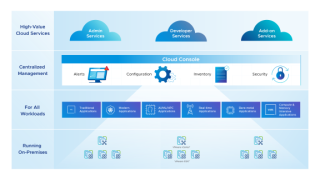
VMware to offer a Broad Multi-Cloud Portfolio…

By H. Cemre Günay

VMware to offer a Broad Multi-Cloud Portfolio…

Subscription and SaaS with vSphere+


VMware Social Media Advocacy

Share this:

  • Share on X (Opens in new window) X
  • Share on LinkedIn (Opens in new window) LinkedIn
  • Share on WhatsApp (Opens in new window) WhatsApp
  • Email a link to a friend (Opens in new window) Email

Related

Post navigation

Previous PostPrevious How to Install Zabbix Agent and add Windows Host to Zabbix Monitoring
Next PostNext How Ericsson, VMware and Dell Technologies…
Leave a Reply Cancel reply

Your email address will not be published. Required fields are marked *

This site uses Akismet to reduce spam. Learn how your comment data is processed.

Cemre Günay

Social Media

Recent Comments

  • H. Cemre Günay on Failed to move a VM out of maintenance mode candidate host since the VM is in manual mode!
  • Appliance Repair Manual on Configuring SNMPv3 on Dell iDRAC9 for VMware Aria Operations
  • John on Failed to move a VM out of maintenance mode candidate host since the VM is in manual mode!
  • Aisha romans on VMware Monitoring for Free with Telegraf…
  • H. Cemre Günay on Bug Alert: Powering On VM in VMware vCenter stucks at 66%

Follow Me on

© 2025 irg-net.com

  • $WHOAMI
  • Blog
  • Home Lab
  • Impressum
Proudly powered by WordPress | Theme: Popularis Writer